Life and death are one thread, the same line viewed from different sides.

|
This page is still under 'heavy construction', but the routines in The GHOUL do work as advertised. |
Threads
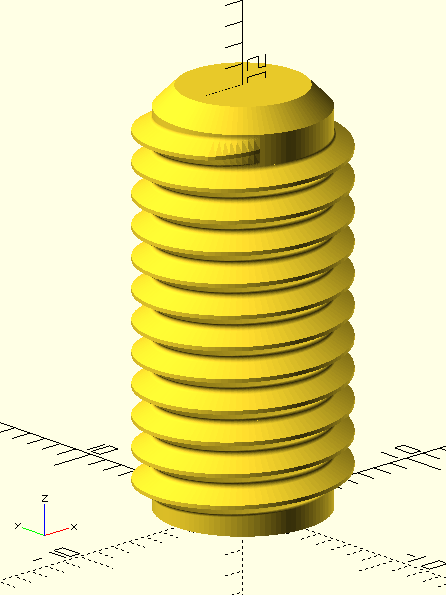
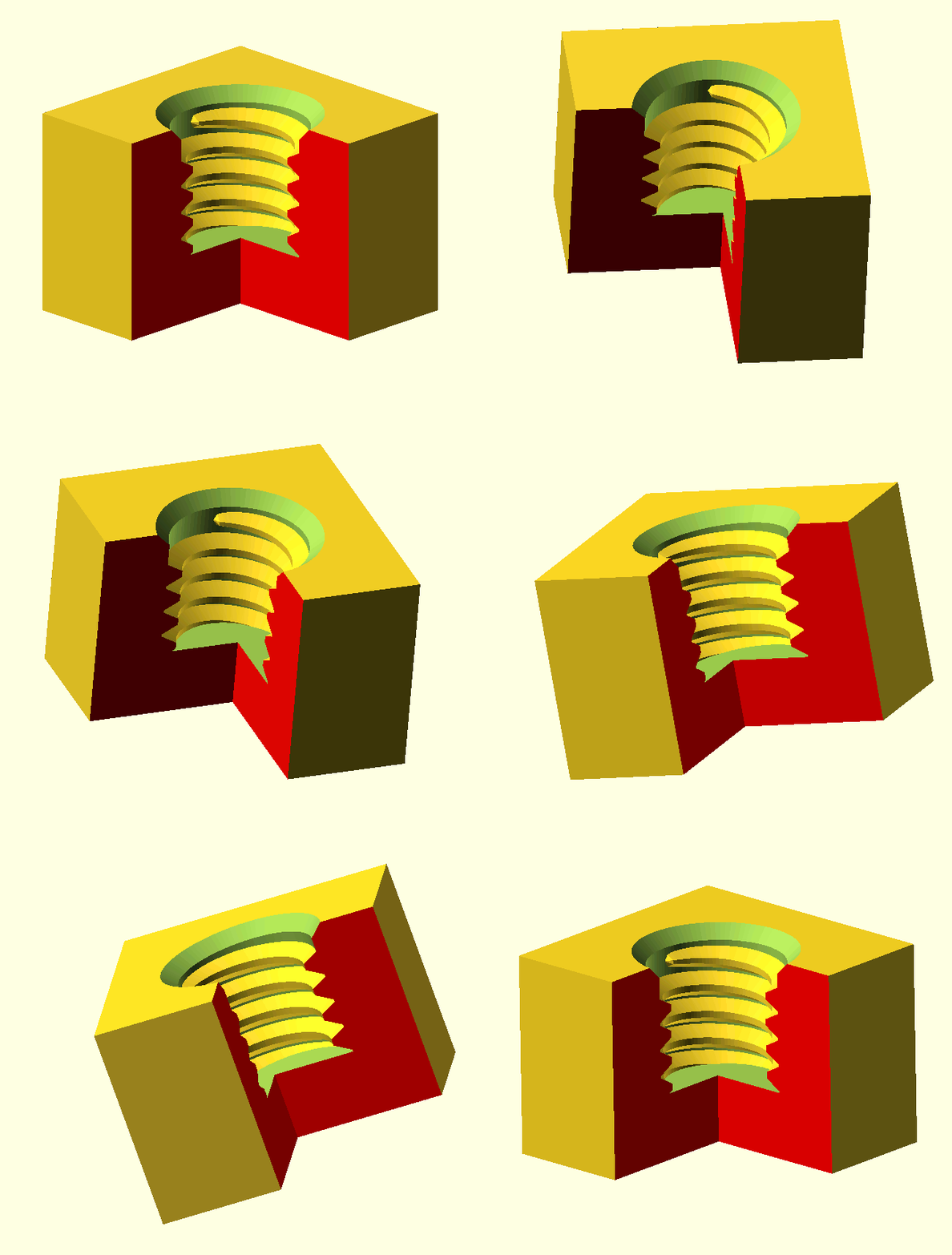
The GHOUL has an excellent Thread() module that makes threads like no other you’ve seen.
I promise.
It’s very versatile, and allows you to make threads of any cross-section that can be tapered and/or interrupted.
Thread() uses the SVG() library to generate thread-profiles with proper root-radii; this reduces the stress risers created by the flat, or even sharp angular roots seen in many other thread libraries, and thus makes stronger threads.
Supporting surfaces can be generated simultaneously, and it’s easy to make a difference() plug for internal threads for through- or blind holes.
It also generates a very nice
Higbee cut with several options.
The only downside of such a versatile routine is of course that, with so many options, it’s very information-hungry; at first sight the number of parameters can be a bit overwhelming, but don’t despair, most calls can be as simple as this one: Thread(MetricThread,10,20); for M10 external thread, 20 millimetres long. As you probably figured, MetricThread is one of the standard thread-forms that is pre-defined in The GHOUL’s ThreadData() 'sub-library' if you will:
TheGHOUL/Lib/Parts/ThreadData.scad contains the routines that generate the thread-helix cross sections, a.k.a. thread-profiles, as well as the lookup lists of pitch, minor and major diameter &c. for the most common standard threads, and some not so common ones. Documentation for ThreadData() can be found (much) farther
below.

Thread() publishes the thread support surface as an OpenSCAD cylinder() call in the console, just grab it from there and, if you’d like a nice 45° chamfer at the end like in the image above; generate a truncated cone for a chamfer on the end of the threads, because Thread() makes great threads, but that’s all folks. Oh, and, no, you can’t have those lovely colours in your console anymore; some clever clogs decided to dump html rendering with version 2021.01; apparently, functionality loss is an improvement…
Thread() doesn’t chew your food and make your coffee. If you want a bolt, or a nut or whatever, you’re responsible for generating the appropriate shanks or object to difference() cut the internal threads from. If you’re in a rush for a bolt or nut, use
SimpleThread(), it does those things at the cost of simplicity and limited control.
|
|
The following text contains some terms that you may, or may not be familiar with. This documentation documents The GHOUL; it’s no formal engineering course. If you’re not familiar with threads and their terminology, please start with this Wikipedia page and take it from there. I’ve assumed a basic understanding. If you don’t know the difference between 'Lead' and 'Pitch', or worse, you think they’re the same thing: Please do your homework first. |
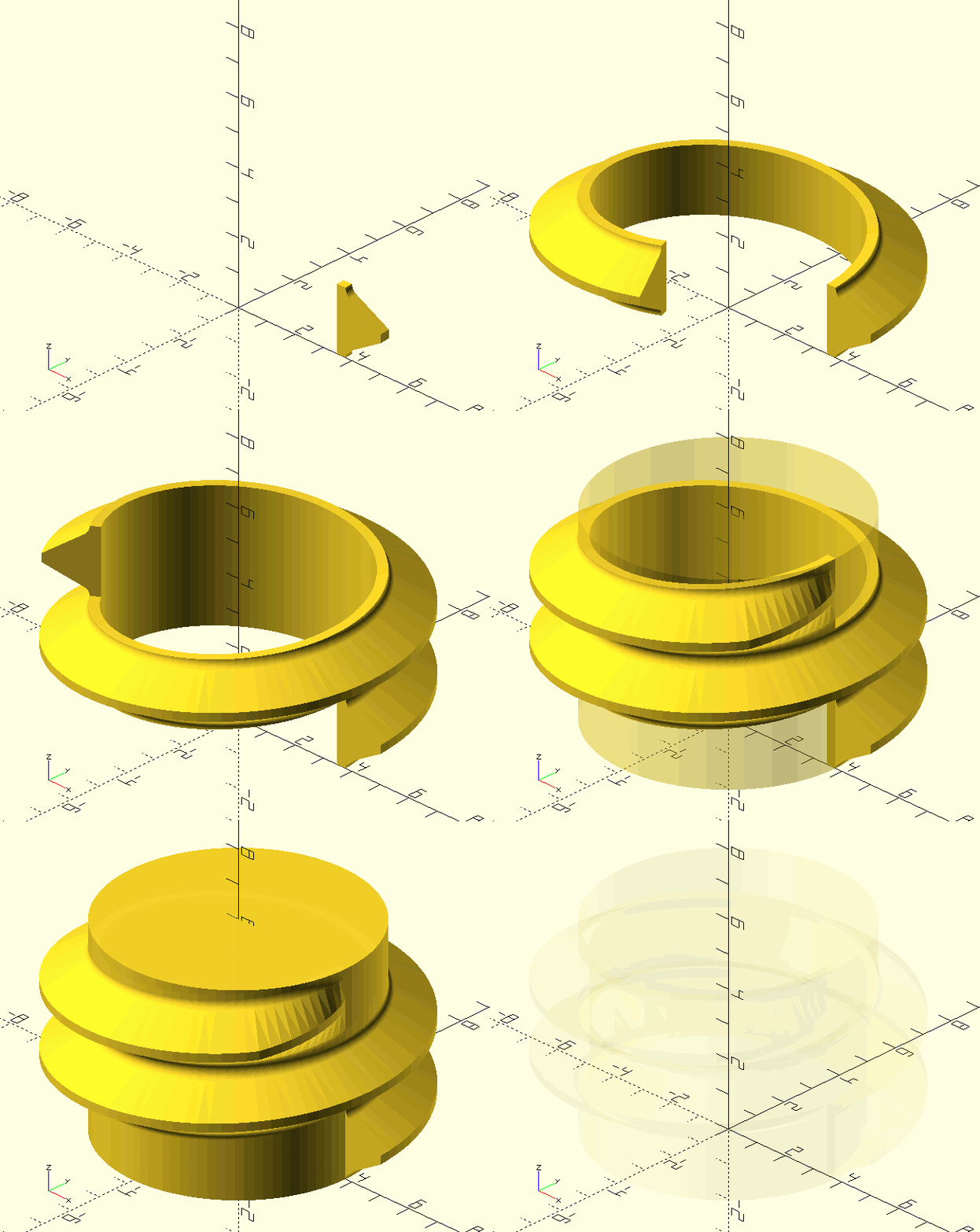
Thread()
Thread(ThreadType, NominalDiameter, Length, Pitch, Turns, ThreadAngle, MiD, MaD, TaperAngle, External=true, Lead=0, LeftHanded=false, MultiStart=1, HigbeeIn=0, HigbeeOut=0, Higbee2D=false, HigbeeSkew=0, Allowance=0, FlankContact=0, Interrupted=[0,0,0], ConversionFactor=1, Support=false, FF=0.1, _Quiet=false, ItemReference="")
-
ThreadType, string, identifier of the desired thread profile. Thread profiles are all described in TheGHOUL/Lib/Parts/ThreadData.scad, which also contains the lookup tables for standardised threads; it’s documented here.
-
NominalDiameter, scalar or string, the nominal diameter dimension or a diameter identifier of the external threads. It is the same for external and internal threads. For standardised threads, it is an identifier, like '#4', and not necessarily an actual dimension, although it usually is. For non-standard threads, it always is the actual O/D of the external threads.
-
Length, scalar, desired length of the thread.
-
Pitch, scalar, 'width' of a single thread, also axial travel per turn of a standard single thread. (Standard here means that the lead is equal to a single pitch; if you don’t know the difference between lead and pitch: please read the note in the intro. JGI.)
-
Turns, scalar, total number of turns of the thread, includes run-in and -out. If both Length and Turns are specified, Turns takes prevalence.
-
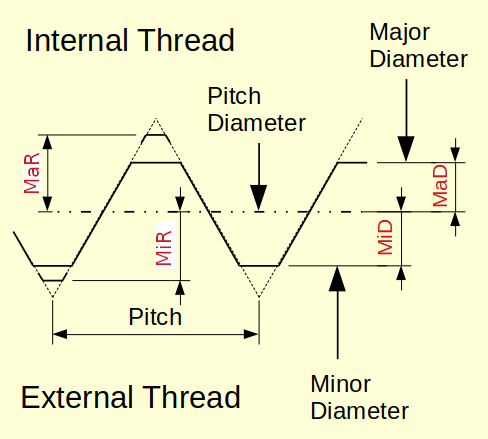
ThreadAngle, scalar, included angle between thread profile flanks.
-
MiD, scalar, minor diameter offset of thread profile.
-
MaD, scalar, major diameter offset of thread profile.
-
TaperAngle, scalar, included taper angle of the thread.
-
External, Boolean, true for external or male thread, false for internal or female thread.
-
Lead, scalar, the axial distance travelled by a single thread through one full rotation. Usually equal to Pitch, but often larger in food-closure threads or quick-connects.
-
LeftHanded, Boolean, true for left-handed threads.
-
MultiStart, scalar, multiple thread helixes, like in many food container closures.
-
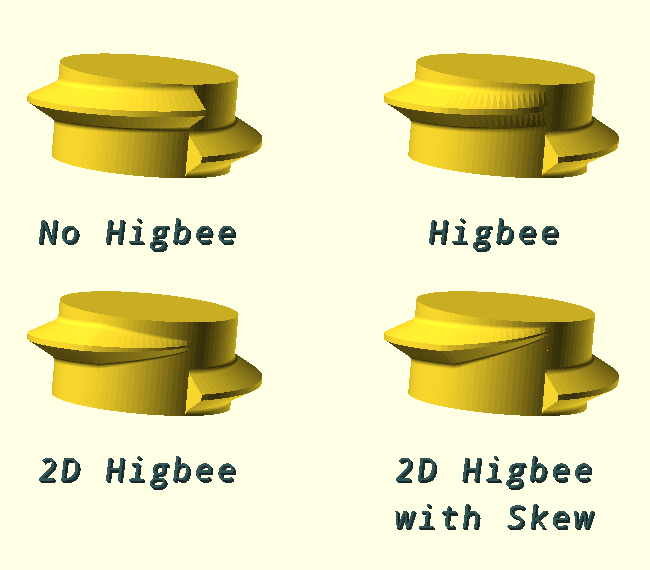
HigbeeIn, HigbeeOut, scalars, degrees of turn over which to apply run-in and/or -out, very similar to a Higbee cut. Default, is 0 for both, but do yourself a favour, use 30 degrees of HigbeeIn.
-
Higbee2D. Boolean, the Higbee cut will be '2D', i.e, in the radial as well as the axial direction, it’s prettier; just try it out.
-
HigbeeSkew, scalar, [0:1], the Higbee cut will be skewed towards the end of the thread for even better engagement, requires Higbee2D=true.
-
Allowance, scalar, moves the pitch diameter inward for external threads, and outward for internal threads, i.e., it provides more actual (positive) clearance, flank contact correction (see below) is available for this.
-
Allowance is added to the built in, production equipment (your 3D printer) dependent clearance, $Allowance, which is always used. This special variable $Allowance is set in TheGHOUL/Config.scad.
-
-
FlankContact, switch, rotate the finished thread polyhedron to preserve contact or maintain the lock-up point with the mating threads when additional Allowance has been applied.
-
0 : No preservation.
-
-1 : CCW direction contact preservation.
-
1 : CW direction contact preservation.
-
-
Interrupted, array, interrupted thread parameter array consisting of:
-
[Angle of thread section, Angle of thread gap, Angle of the Higbee 'tapers']
The Higbee tapers are part of the gap, i.e., [60,30,10] will give 60 degrees of full thread, and a gap of 30 degrees, of which the first and last 10 degrees will be taken up by the Higbee tapers, and thus only the centre 10 degrees are truly 'threadless'.
-
-
ConversionFactor, scalar, thread profiles are written with 'implicit units', i.e. a 1/2" UNC thread has a major diameter of 0.5, not '12.7 mm' so when you’re designing in mm and you want to use a UNC bolt, you must specify a ConversionFactor of 25.4 or your thread will have an OD of 0.5 mm.
-
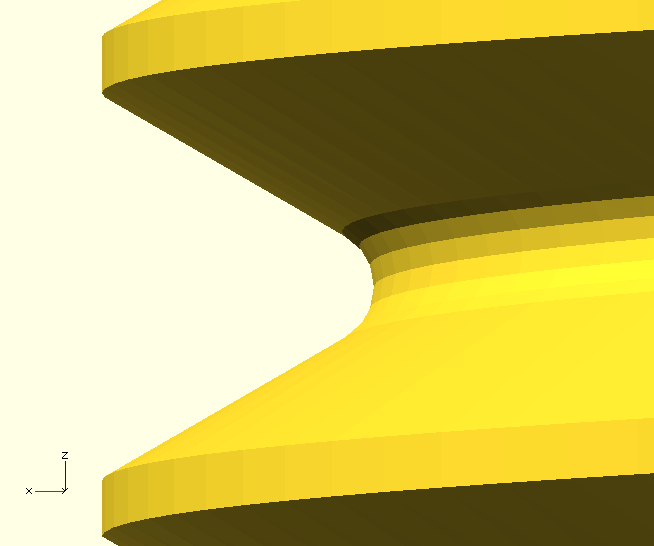
Support, Boolean, generate the support surface for the thread. This generates a simple cylinder inside the external threads. However, for internal threads, it results in a 'negative' cutting body, which can then be `difference()`d from an object to create the internal threads of a blind or through-hole.
-
FF, scalar, the maximum facet length used in circle arcs in the generated thread profiles. The value of FF is assigned to $ff in the
ThreadData()call, to control the resolution of arc segments generated bySVG_A()in the thread profile. In this way, you can still specify $fn, or indeed $ff in theThread()call to control the circular resolution of the thread-helix itself, separately from those of arcs in the thread profile. Don’t make FF too small; a quarter or half your nozzle size gives very satisfactory root radii. -
ItemReference, string,
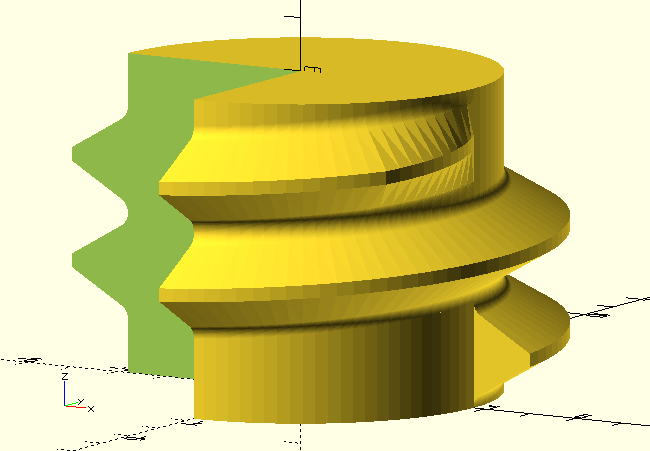
Thread()publishes the dimensions of the support surface for each thread it generates to the console. The user can use ItemReference to make it easier to identify the correct support surface to use.
ThreadData()
Many threads share a common shape, know as 'profile' or cross-section. The common UNC and UNF threads and ISO threads share the same profile, only nominal diameters and pitch are different. Standardised threads like these are defined in TheGHOUL/Lib/Parts/ThreadData.scad, including lookup tables with their nominal diameters and pitch.
ThreadData.scad also contains definitions of a few specialised thread types, such as square- and knuckle-thread.