Unfortunately, no one can be told what The Matrix is.
The matrix
Matrices are transformation magic. They allow us to move, skew, rotate and whatever else, entire arrays of vertices, a finished mesh, or a single point. They are versatile and with a little study, pretty easy to work with. The GHOUL makes it all a bit easier with predefined routines for all kinds of transformations.

|
If you’d like some more background, here are a few primers: Affine transformation on this Wikipedia page and here’s another decent primer on neutrium.net, and some more on matrices on Wikipedia. |

|
The examples given below are trivial because they could easily have been accomplished with native OpenSCAD transformations, however, they are examples, normally these transformation matrices would be used to manipulate vertices and arrays before they become objects. |
Affine transformers
AffineRotate()
AffineRotate(Vector,List,Angle=undef,Output2D=false)
-
Vector, an openSCAD rotate() vector [x,y,z], or—when Angle is specified—a rotation axis.
-
List, an array of vertices or a single vertex.
-
Angle, rotation angle with Vector as axis.
-
Output2D, force 2D output, even with 3D input, i.e., crop the Z-coordinate.
Perform affine transformation on an array of vertices. Returns 3D or 2D consistent with input.
AffineScale()
AffineScale(Vector,List,Output2D=false)
-
Vector, an openSCAD scale() vector [x,y,z].
-
List, an array of vertices or a single vertex.
-
Output2D, force 2D output, even with 3D input, i.e., crop the Z-coordinate.
Perform affine transformation on an array of vertices. Returns 3D or 2D consistent with input.
AffineTranslate()
AffineTranslate(Vector,List,Output2D=false)
-
Vector, an openSCAD translate() vector [x,y,z].
-
List, an array of vertices or a single vertex.
-
Output2D, force 2D output, even with 3D input, i.e., crop the Z-coordinate.
Perform affine transformation on an array of vertices. Returns 3D or 2D consistent with input.
This is somewhat nonsensical, you could simply use ArrayAdd() instead, but it’s here for the sake of consistency…
AffineTransform()
AffineTransform(Matrix,List,Output2D=false)
-
Matrix, affine transformation matrix. This is an 'enhanced' 4x4 matrix containing all required transformations, see the routines below.
-
List, a single vertex or an array of vertices to be transformed. List can contain either 2D or 3D vertices; the output will be conform with the (first) vertex of the input.
-
Output2D, Boolean, output array will be cropped to 2D
[X,Y]coordinates, even when the input is in 3D; used when a 2D input array needs to remain 2D.
AffineTransform() can translate, rotate, even scale or shear (skew) an entire 'cloud' of vertices, like a mesh to form a polyhedron, through 3D space. The GHOUL has several routines to create the desired 'augmented' affine transformation matrices required to do so—see below. AffineTransform() is the 'universal' performer here, since most transformations are a combination of rotation, translation and scaling, which this routine manages with the help of TransformMatrix(), see below.
Supporting actors
HomogeniseMatrix()
HomogeniseMatrix(Matrix)
-
Matrix, a matrix of maximum dimension 4x4.
Turns any matrix (even an empty one []) into a homogenised 4x4 matrix. Used by The GHOUL’s affine transformation routines.
echo(HomogeniseMatrix([[1,2],[3,4]]));

ECHO: [[1, 2, 0, 0], [3, 4, 0, 0], [0, 0, 1, 0], [0, 0, 0, 1]]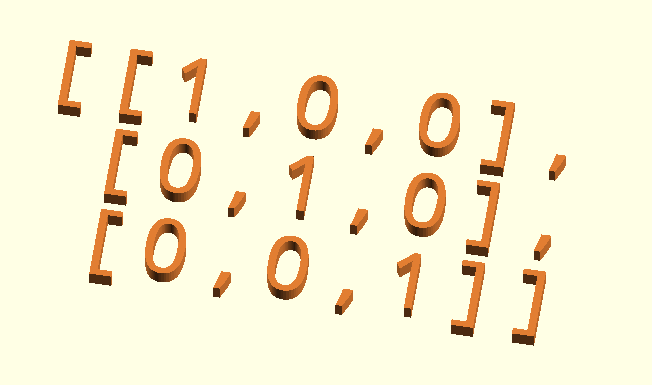
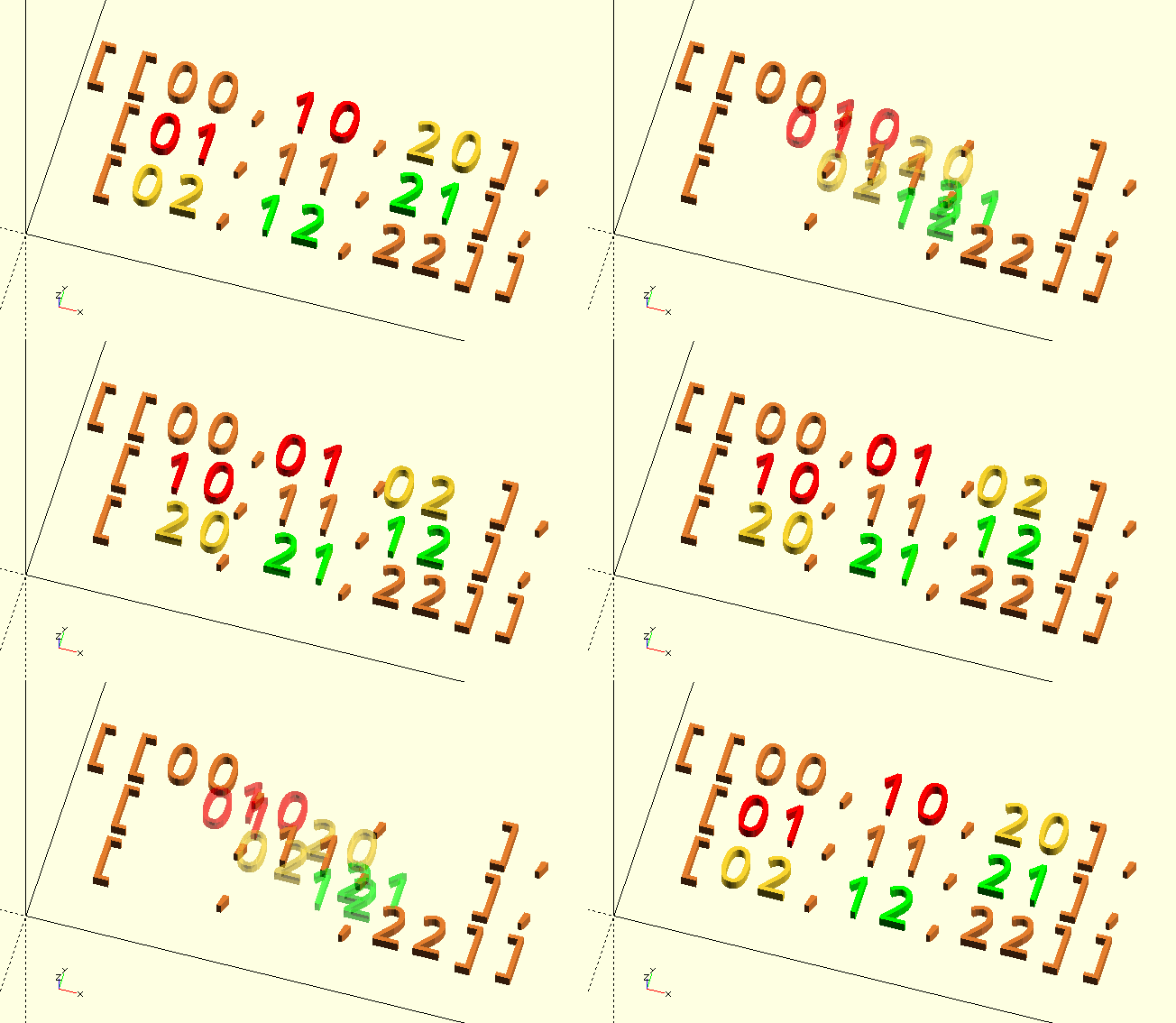
Matrices
RotationMatrix()
RotationMatrix(Vector=[0,0,0],Angle=undef)
-
Vector, vector, rotation axis like in the OpenSCAD native
rotate(a = deg_a, v = [x, y, z]). If Angle is not specified, Vector is treated as a vector of Euler angles in degrees similar to OpenSCADrotate([x,y,z]). -
Angle, scalar, rotation angle.
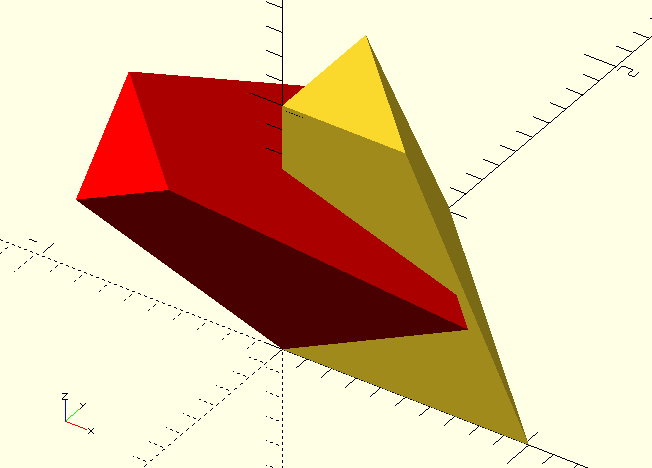
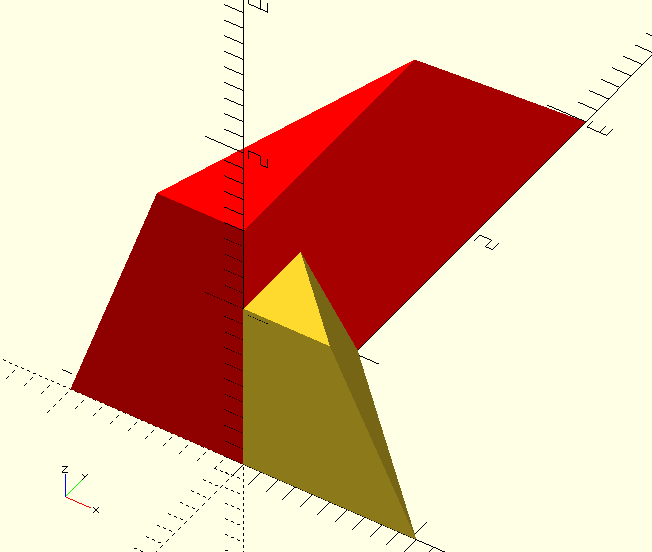
RotationMatrix() returns an affine rotation matrix. Just like the native OpenSCAD rotate() it accepts either Euler angles or a rotation axis in the form of a vector plus a rotation angle.
echo(RotationMatrix([30,45,0]));

// Echo output has been 'prettyfied'
ECHO: [
        [ 0.707, 0.353,  0.612, 0],
        [ 0    , 0.866, -0.5  , 0],
        [-0.707, 0.353,  0.612, 0],
        [ 0    , 0    ,  0    , 1]
      ]

VertsA=[[0,0,0],[1,0,0],[0,1,0],[0,0,1],[0.5,0,1],[0,0.5,1]];
Faces=[[0,1,2],[0,1,4,3],[1,2,5,4],[2,0,3,5],[3,4,5]];

VertsB=AffineTransform(RotationMatrix([1,-1,0],45),VertsA);

polyhedron(VertsA,Faces);
color(RED)
polyhedron(VertsB,Faces);

/*
  Yes, we could have just done:

  rotate(45,[1,-1,0])
  polyhedron(VertsA,Faces);

  But that's not what we're here to see...
*/
ScalingMatrix()
ScalingMatrix(Vector)
-
Vector, vector,
[X,Y,Z]scaling vector like OpenSCADscale([x,y,z]).
ScalingMatrix() returns an affine scaling matrix, negative scaling factors are equivalent to 'mirror' operations.
In this and the next source code examples the polyhedron definitions are the same as in the RotationMatrix() entry and are therefore omitted.
VertsB=AffineTransform(ScalingMatrix([-1,3,1.5]),VertsA);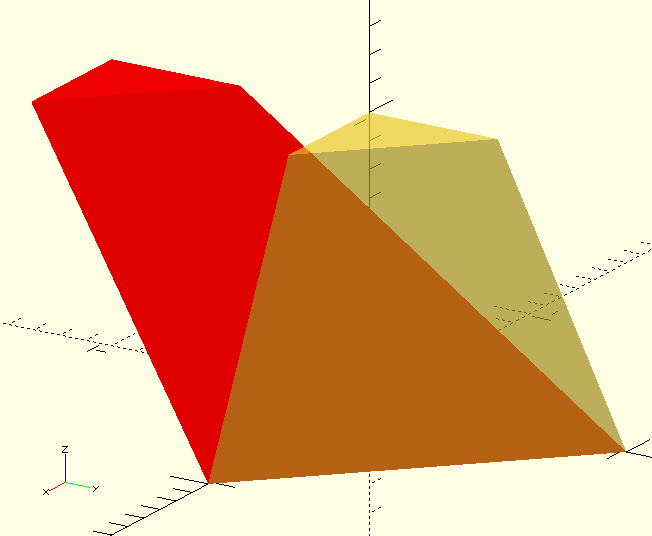
ShearingMatrix()
ShearingMatrix(Matrix)
-
Matrix, matrix, movements along the shear axes, expressed in matrix-like form.
[
  [1,x/y,x/z],
  [y/x,1,y/z],
  [z/x,z/y,1]
]`
The parameters of the input Matrix, e.g. x/z should be read as "units of shear 'movement' along the X-axis per unit of Z-dimension". The numerator indicates the direction of the shear and the denominator indicates the dimension along which the shear takes place.
To move the top of a polyhedron with a height of 2 units 1 unit in the positive X-direction, x/z must be shear/dimension or 1/2.
To move the positive Y-end of a 3 unit long object 0.5 unit down, the z/y parameter must be -0.5/3 or -1/6 or -0.1666…
|
|
Shearing can do funny things, especially when mixed with scaling and the values of two rows of the input Matrix become of the same magnitude, for example, when Matrix.x is [-1,0.5,0] and Matrix.y is [-1,0.5,0], the object becomes a plane (see TransformMatrix() below).
|
VertsB=AffineTransform(ShearingMatrix(Matrix=[[1,0,0],[0,1,-1],[0,0,1]]),VertsA);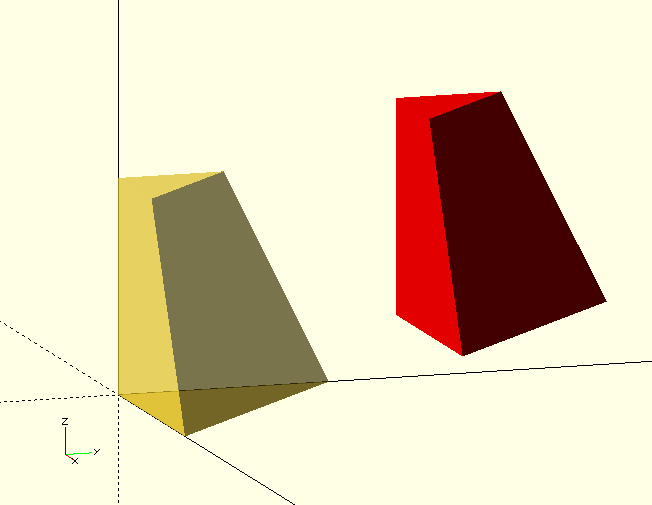
TranslationMatrix()
TranslationMatrix(Vector)
-
Vector, vector,
[X,Y,Z]translation vector like OpenSCADtranslate([x,y,z]).
TranslationMatrix() returns an affine translation matrix. This one is taking things a bit far, and only makes sense when you’re combining a number of transformations (see the next entry), because used by itself, it can simply be replaced with ArrayAdd(Array,Vector).
VertsB=AffineTransform(TranslationMatrix([1,1,0.5]),VertsA);TransformMatrix()
TransformMatrix(Transforms=[])
-
Transforms, array, an array of one or more GHOUL Transform definitions.
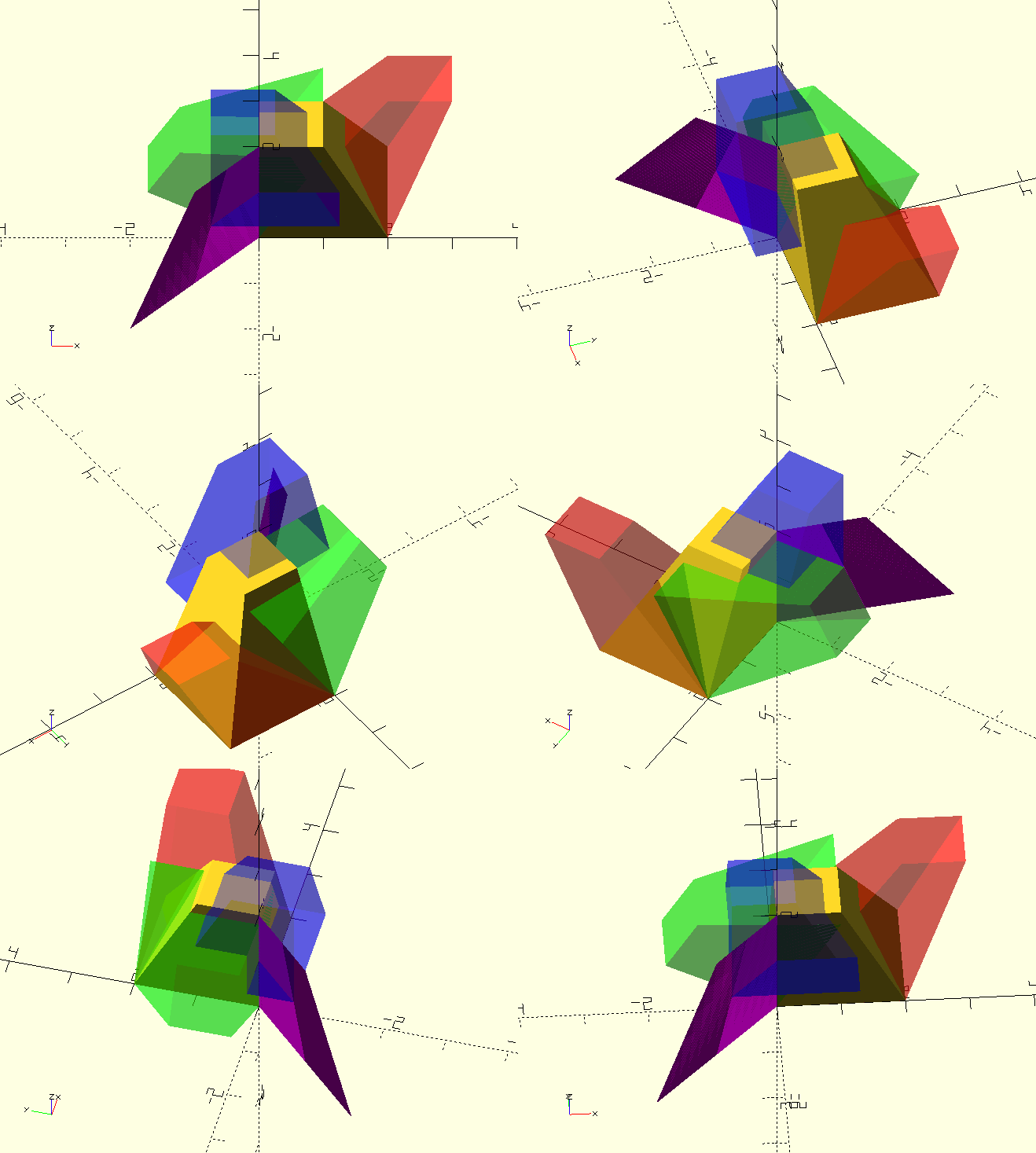
TransformMatrix() generates a transformation matrix from The GHOUL’s Transforms to be used by AffineTransform() or the native multmatrix(). It accepts The GHOUL’s Transform format for input, greatly facilitating the use of multiple combined transformations.
The GHOUL’s Transform inputs can be combined in an array and are processed left-to-right. Most individual Transform formats look like regular OpenSCAD inputs for transformations, with an added string element to identify the different operations. They are:
| Translation |
[10,3,0,"T"] — X-Y-Z units of translation, followed by "T". |
| Rotation |
[30,0,0,"R"] — X-Y-Z degrees of rotation, followed by "R". |
| Scaling |
[1,1,2,"S"] — X-Y-Z factors of scaling, followed by "S". |
| Shear |
[[1,0,1/6],[0,1,0],[0,0,1],"SH"] — a shear matrix input as used by |
| Combined in an array |
[[30,0,0,"R"],[10,3,0,"T"]] |
module DCube(){
    linear_extrude(height=2,scale=[0.5,0.5])
    square([2,2]);
}

DCube();

color(RED,0.4)
multmatrix(TransformMatrix([[[1,0,1],[0,1,0.5],[0,0,1],"SH"]]))
DCube();

// Funky 'identical row' result from shearing and scaling mix, see 'echo' below.
color(PRP)
multmatrix(TransformMatrix([[[1,-0.5,0],[-2,1,0],[0,0,1],"SH"],[-1,0.5,1,"S"]]))
DCube();

Echo(TransformMatrix([[[1,-0.5,0],[-2,1,0],[0,0,1],"SH"],[-1,0.5,1,"S"]]));
// ECHO: [-1, 0.5, 0, 0][-1, 0.5, 0, 0][0, 0, 1, 0][0, 0, 0, 1]
// Notice in the 'echo' that the 'X' and 'Y' rows of the combined shearing and scaling matrices are identical.

color(GRN,0.4)
multmatrix(TransformMatrix([[0,-60,0,"R"]]))
DCube();

color(BLU,0.4)
multmatrix(TransformMatrix([[-0.75,-0.75,1,"T"]]))
DCube();