We had seen God in His splendors, heard the text that Nature renders. We had reached the naked soul of man.
Text.
BrailleText()
BrailleText(String)
-
String, string, the text to print in Braille.
Don’t expect this routine to write a novel in Braille, however it can be very useful for single lines of simple text, short instructions, badges, signage, pricing labels &c. It will recognize simple numbers and parse them correctly. Capitalization is limited to first characters of sentences and words, i.e., 'TheGHOUL' is parsed 'Theghoul'. If that’s a biggie for you, dive into the files TheGHOUL/Lib/Texts/BrailleText.scad and TheGHOUL/Lib/Definitions/Braille.scad and knock yourself out. And do please keep me posted with your progress.
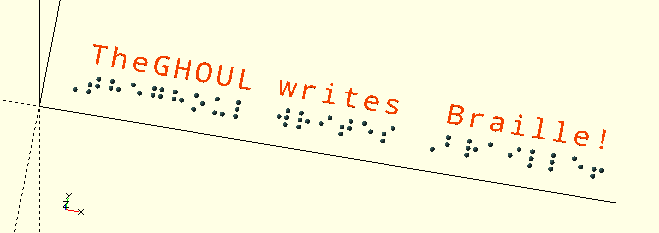
The Braille patterns are made up of spheres, 1.6 mm in size, half of which rises above the Z=0 plane. Simply place the Z=0 plane of the Braille text on the surface 'on which' you want the Braille to appear and the 'dots' will have the correct size. If you’re writing on a surface less than about 1 mm thick, you may need to difference() the lower part of the spheres away.
BrailleText("TheGHOUL writes Braille!");The existing text functions of the GHOUL are limited. At this moment the GHOUL can write in circles, clockwise and counter-clockwise, and wrap text around a cylinder, in a helix if you wish. Currently, only monospace is implemented. Proper kerning routines are on their way… Soon. I promise. Probably. Sometime. Later…
In short: The following routines are all called 'Simple…Text' because they are more or less a 'stop-gap' solution, the intention is to provide more capable routines in the future. For one, the routines do not transform the individual characters, zoom in on 'barrel' text and you will see flat, not curved characters. I have plans to use the SVG library to change this, you know, when I have time… (Don’t check back too soon…)

|
When I refer to 'depth' in the text below, it means a direction 'normal' or perpendicular to the text face; both 'vertical' and 'horizontal' also refer to directions relative to the text itself, when looking at the text face. |

ScreenText()
ScreenText(String, Location=[0,-5,0], Rotation=[15,25,0], Size=1, Thickness=1, Font="Noto Mono", Spacing=1, SizeCompensation=40, ScreenFactor=40, Correction=[0,0,0])
-
String, the text to print.
-
Location, location in screencoordinates see
ScreenCoords(). -
Rotation, rotate the text for prettiness.
-
Size, the text size.
-
Thickness, thickness of the text.
-
Font, string, font name.
-
Spacing, letter spacing. Default=1.
-
SizeCompensation, scalar, compensates for zoom, i.e., changes in $vpd.
-
ScreenFactor, scalar, compensates for translation due to zoom, i.e., changes in $vpd.
-
Correction, vector, additional 'fine tuning' translation.
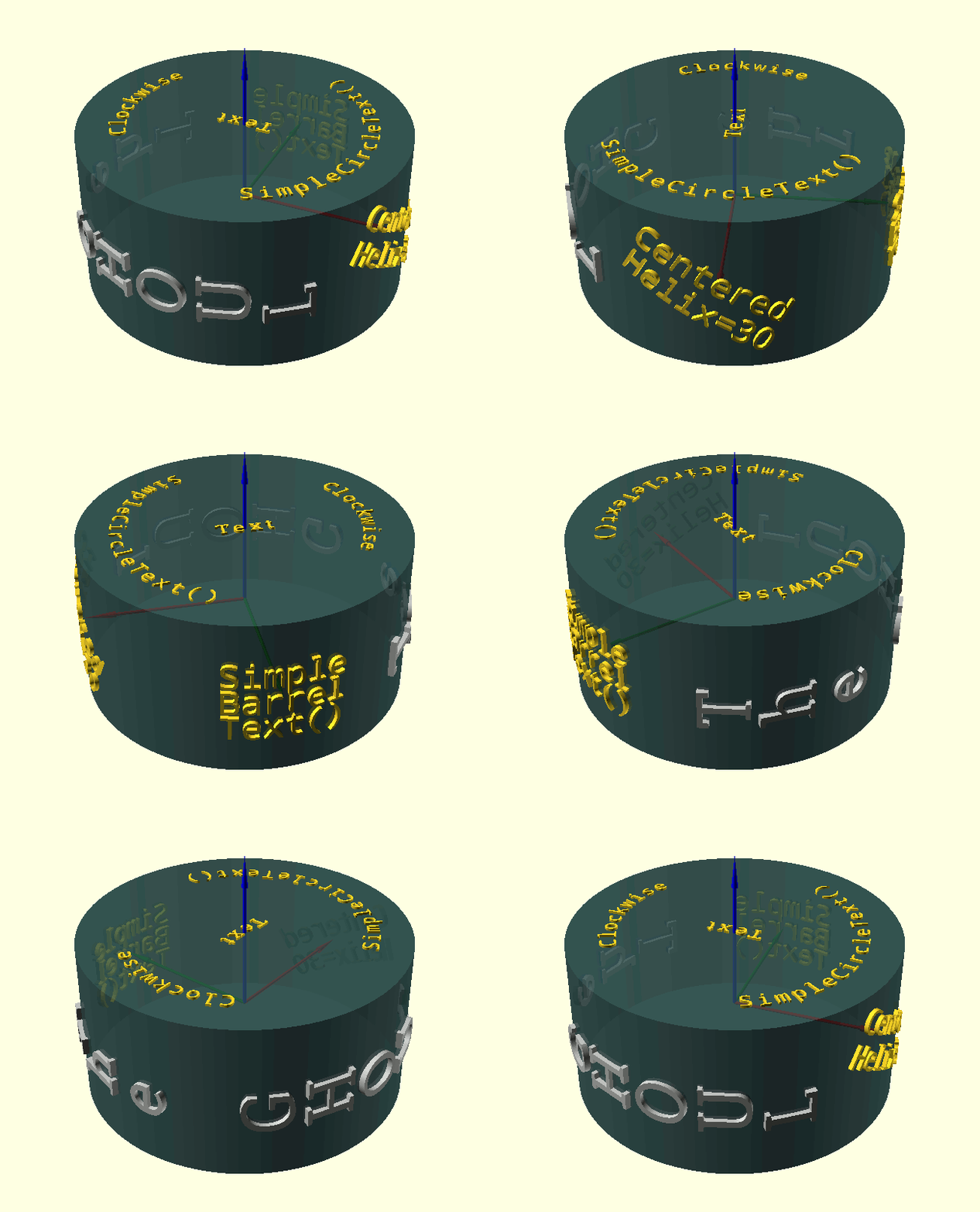
When you want to rotate your objects but you want some stationary text on the screen, like in the image here. Click here for a better look.
SimpleBarrelText()
SimpleBarrelText(String, Size, Radius, Helix=0, Thickness=0.1, Center=false, Font="Noto Mono", Spacing=1, Raise=0, Vert=false)
-
String, the text to print.
-
Size, the text size.
-
Radius, radius of the supporting surface (cylinder).
-
Helix, the angle between the text and the cylinder axis.
-
Thickness, thickness of the text.
-
Center, Boolean, text is centered if true.
-
Font, string, font name.
-
Spacing, letter spacing. Default=1.
-
Raise, raises text or sinks it into the supporting surface.
-
Vert, Boolean turns characters 90 degrees for 'vertical' text.
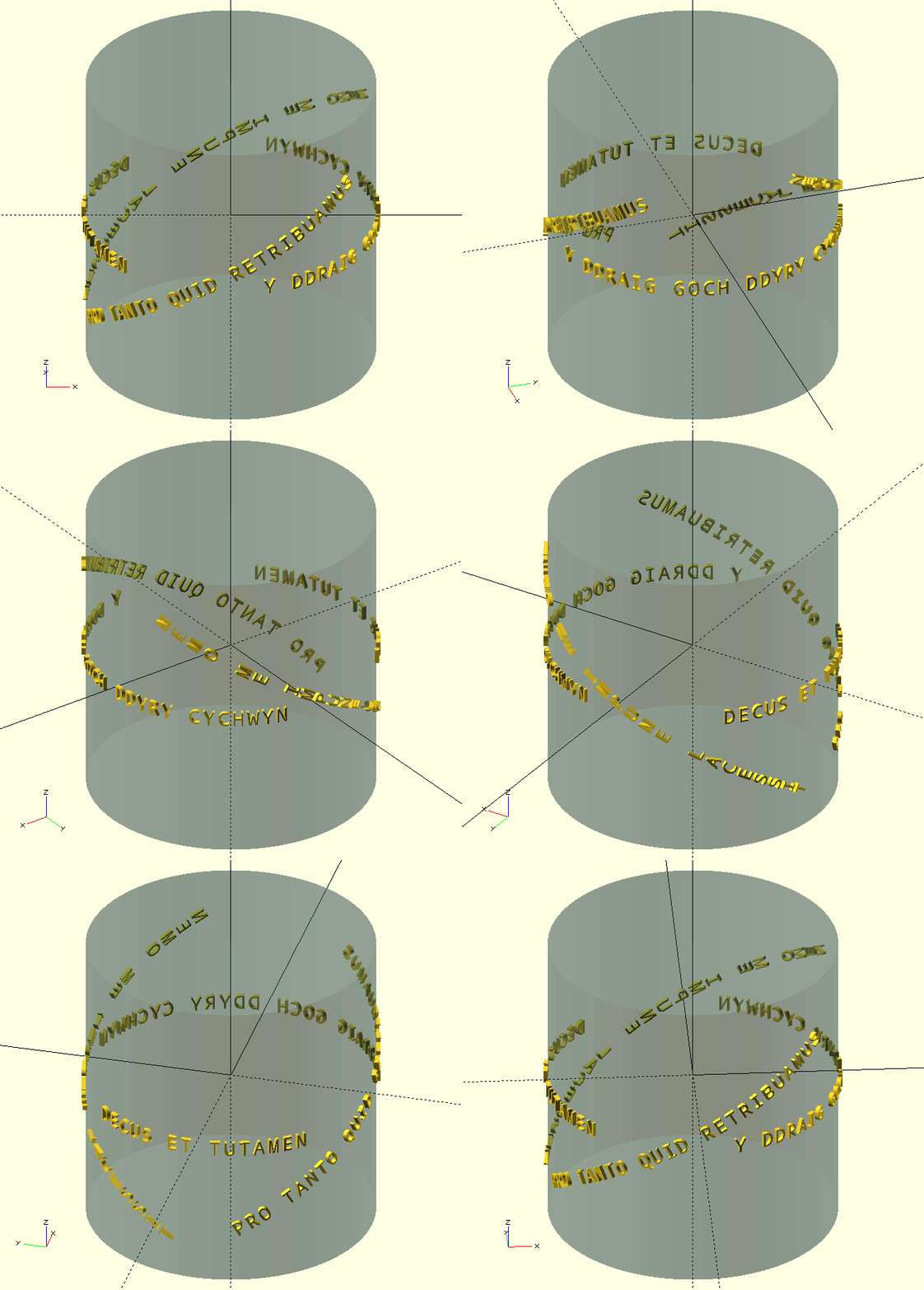
SimpleBarrelText() wraps text around a cylinder at any angle. 'Vertical' text is generated if Vert=true. When Center=true the text is centered both vertically and horizontally on the Radius coordinate on the positive X-axis: [Radius,0,0] with the text facing 'East'. The text can then be moved to the correct spot with rotate([0,0,Azimuth]) and translate([0,0,Height]) calls. The Raise parameter allows the text to be raised above or 'sunk' into the supporting cylinder.
SimpleCircleText()
SimpleCircleText(String, Size, Radius, Thickness=0.1, Center=false, CW=false, Font="Noto Mono", Spacing=1)
-
String, the text to print.
-
Size, the text size.
-
Radius, radius of the supporting surface (cylinder).
-
Thickness, thickness of the text.
-
Center, Boolean, text is centered if true.
-
CW, Boolean, generate clockwise text if true.
-
Font, string, font name.
-
Spacing, letter spacing. Default=1.
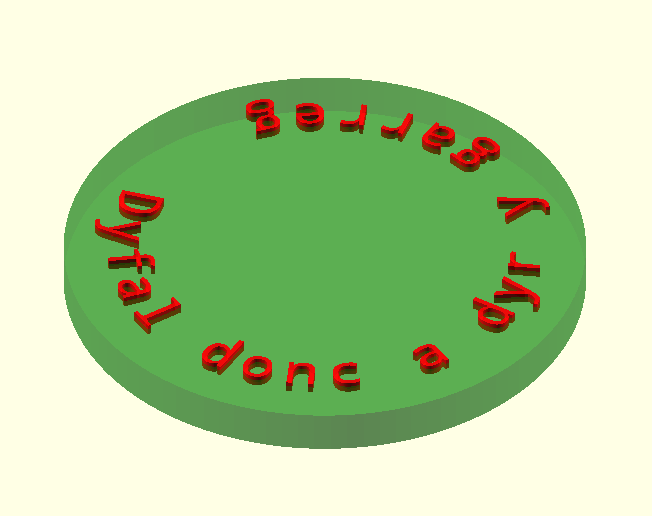
SimpleCircleText() writes 'in circles'. Default is counter-clockwise, and clockwise when CW=true. Both CCW and CW text is placed inside Radius. When Center=false, the insertion point is the 'bottom-left' for CCW and 'top-left' for CW. When Center=true the text is centered horizontally only, it is not moved 'vertically' in order to keep the text positioned inside Radius and also not 'depth-wise', the insertion point being the 'bottom-center' for CCW and 'top-center' for CW text. The text is positioned on Z=0 with the insertion point on the Radius coordinate on the positive X-axis: [Radius,0,0] with the text facing 'East'. Please note that CCW as well as CW text is inserted on this point, CW text will have to be rotated an additional 180 degrees compared to CCW to be 'upright'. The text is then simply moved with a pair of rotate([0,0,Azimuth]) and translate([0,0,Height]) calls, or on the bottom of the cylinder with a pair of rotate([180,0,Azimuth]) (note: 180 degree X-rotation) and translate([0,0,Height]) calls. There is no Raise parameter as there is with SimpleBarrelText() since that can be achieved with a simple increase or decrease in translate().
The text in the image means "Persistent tapping breaks the stone" in Welsh, because I love Wales and its people.
SimpleText()
SimpleText(String, Size, Thickness=0.1, Center=false, Font="Noto Mono", Spacing=1)
-
String, the text to print.
-
Size, the text size.
-
Thickness, thickness of the text.
-
Center, Boolean, text is centered if true.
-
Font, string, font name.
-
Spacing, letter spacing. Default=1.
Yep. This doesn’t do anything more than the regular text() call. But it probably will in the future when proper kerning and SVG parsing becomes available. Probably.

VPRText()
VPRText(String, Size=1, Font="Noto Mono", Halign="left", Valign="baseline", Spacing=1, Thickness=1, Location=[0,0,0], Rotation=[15,25,0])
-
Parameter, description
-
Parameter, description
-
Parameter, description
Text that stays in the same location (in the UCS) facing the viewer. Requires regen.
NewVar=Call(Parameters);
echo(NewVar);

ECHO: ""[]